 FactoryDownload
A task board that plans and builds the tasks on it.
Factory keeps a project’s tasks on a board. Each one is triaged, given a plan for you to approve, and built in its own Git worktree against your project’s checks. You review the diff and merge it.
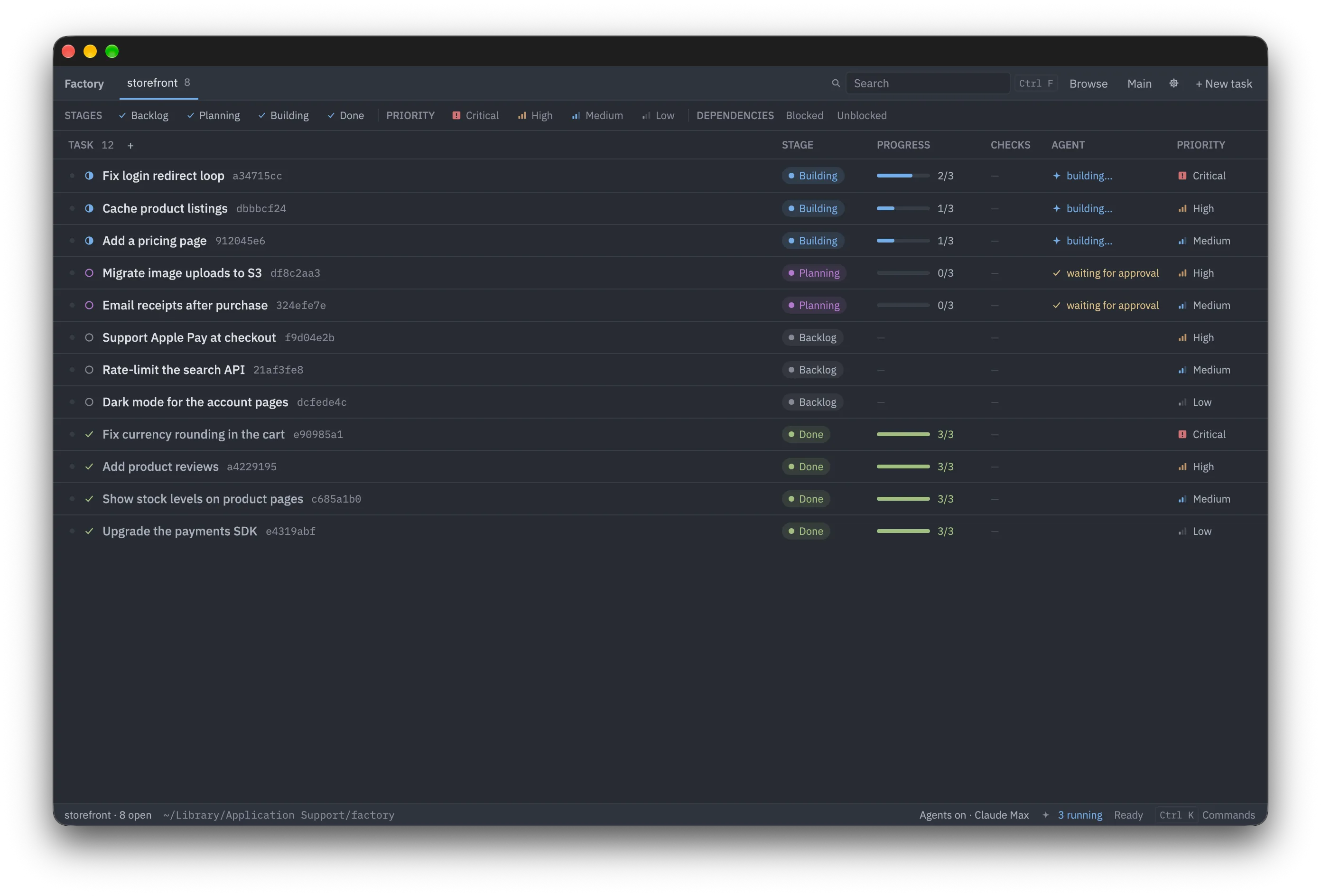
How a task moves
Backlog
Add a task in a sentence or two. Triage suggests a clearer description, a priority, and tasks to split out or do first.
Planning
A plan of steps is written from the code. Edit it, or send it back with comments, then approve it.
Building
The plan is carried out one step at a time on the task’s own branch, with a commit per step and your checks run against it.
Done
Read the diff, try the result in a preview, and merge it into main.
Features
A worktree per task
Every task gets its own branch and checkout, so several can be built at once without touching your main checkout.
Checks
Add your tests, linters and other commands to the project. They run in each task’s worktree, and the board shows which pass.
Server previews
Start the project’s servers from main or from a task’s worktree, and open them in the board or in your browser.
Dependencies
Tasks can depend on others. The board shows what’s blocked, and work starts once what it depends on is done.
Questions and feedback
If something about a task is unclear, you’re asked, and the task waits for your answer. Feedback on a plan or a build is applied in the next pass.
Command line
The factory command does everything the board does, for scripts and the terminal.
Download
Factory does its work through Claude Code, using your Claude subscription. Install it and sign in before you start.